Scalar Tape Storage
February 15, 2026
When are attacks truly driven by AI?
February 25, 2026

Dell PowerEdge R770 Review A Fluid New 2U Server

Dell PowerEdge R770 Front 1

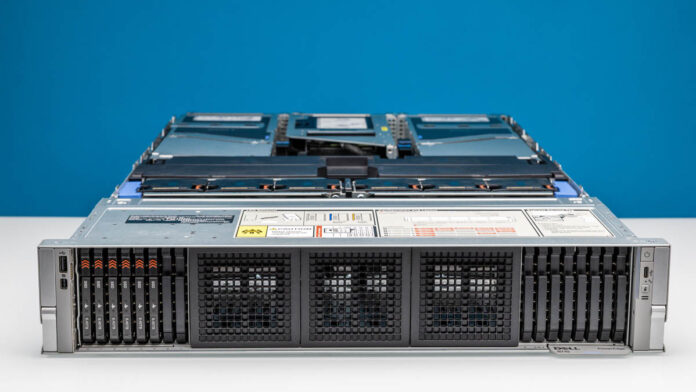
The Dell PowerEdge R770 is a 2U server that does just about everything. In a simplistic view, it is another 2U dual Intel Xeon 6 server. When we started taking the system apart, it became apparent that Dell designed an enormous amount of flexibility into this system while offering a big upgrade over the Dell PowerEdge R760. I am going to call this “fluid” because when you see how Dell’s engineers designed the system it is meant to do everything.

Dell PowerEdge R770 External Hardware Overview

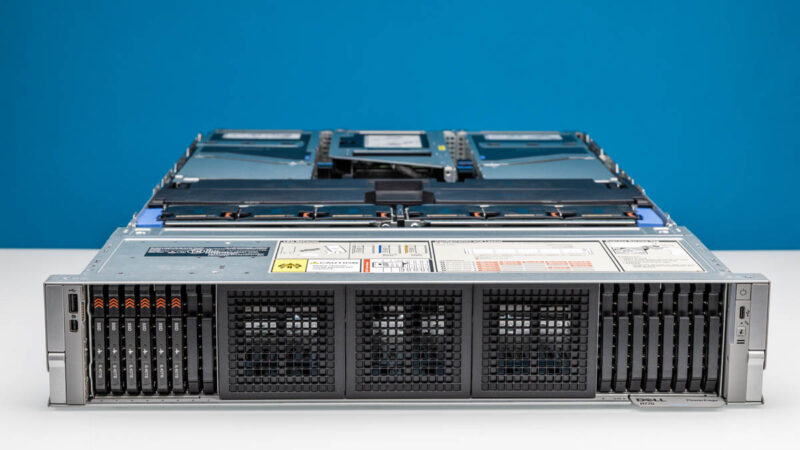
Starting off, the PowerEdge R770 is a 2U server with a fairly standard 801.51mm or 31.56″ depth. Even the depth is configurable depending on if it is a front I/O or rear I/O configuration and some other options, it can get up to just over 32″ deep.
Dell PowerEdge R770 Front 1

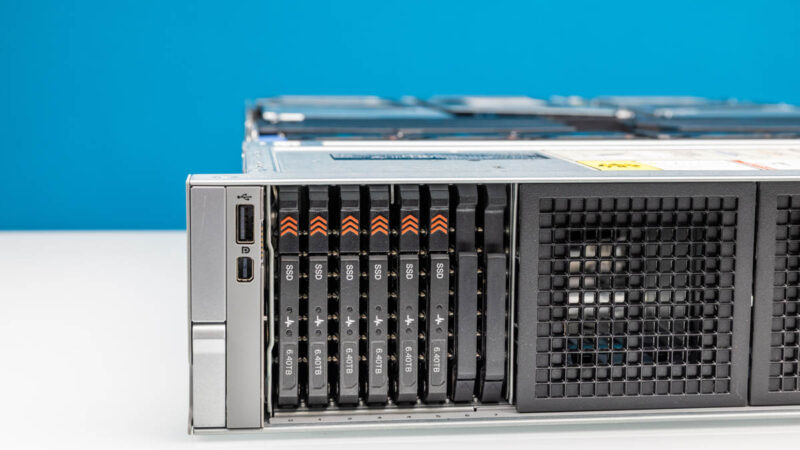
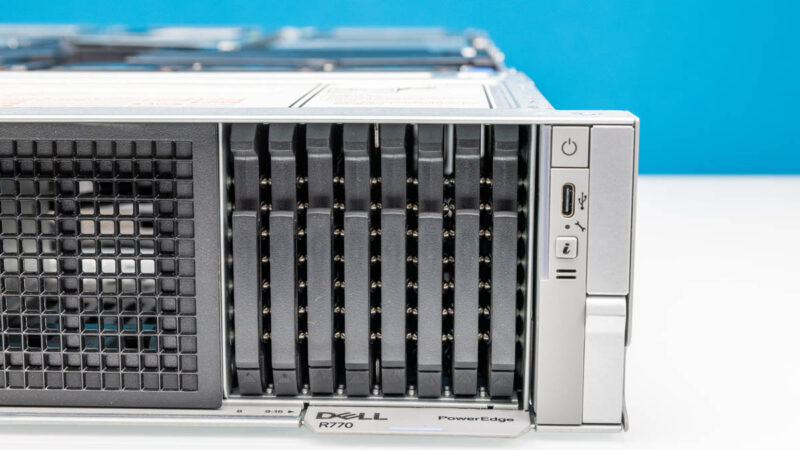
The front of the chassis can take up to 40 E3.S SSDs, but there are also options for up to 24x 2.5″ SSDs. Our system is a 16x E3.S SSD configuration. We do not have the option, but in the rear we can get up to four E3.S SSDs as well.
Dell PowerEdge R770 E3.S SSD Left

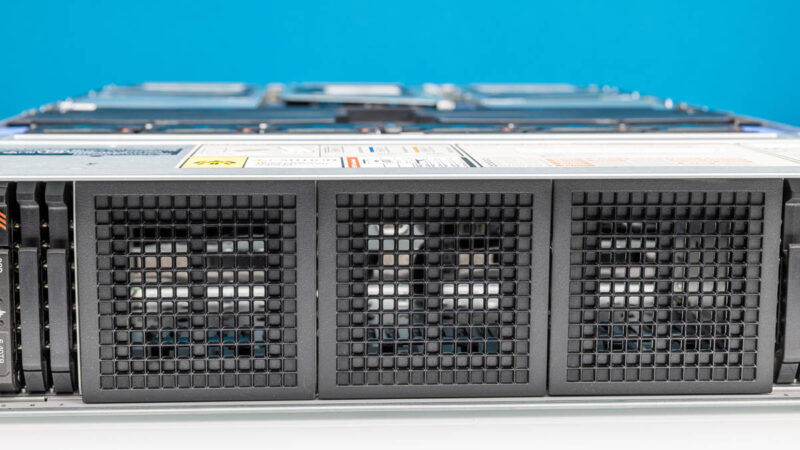
In the center, instead of drive bays we have vents for airflow.
Dell PowerEdge R770 Front Center Airflow

We have eight E3.S SSD slots on the right and another eight on the right.
Dell PowerEdge R770 Front Right E3.S Bays

The E3.S SSDs are the eventual replacements for 2.5″ U.2/ U.3 SSDs as we covered in 2021 with E1 and E3 EDSFF to Take Over from M.2 and 2.5 in SSDs. Admittedly, the transition is a bit slower than we would have expected.
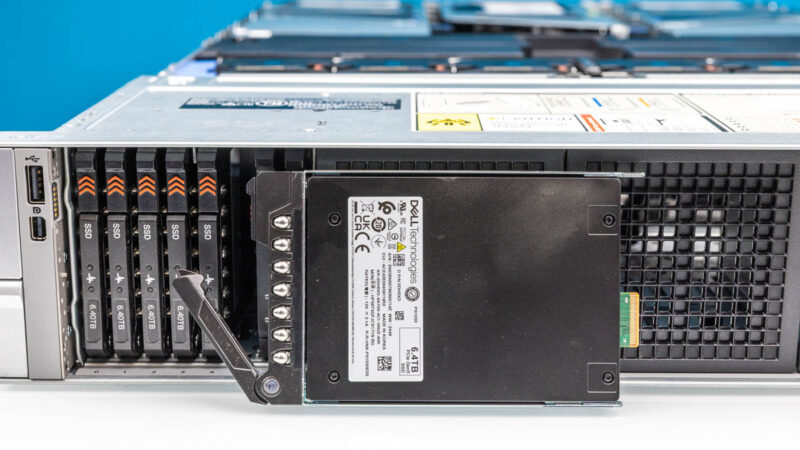
Dell PowerEdge R770 E3.S SSD Out

Dell has plenty of options for SSDs. We even used some Kioxia CM7 drives that we had in the lab.
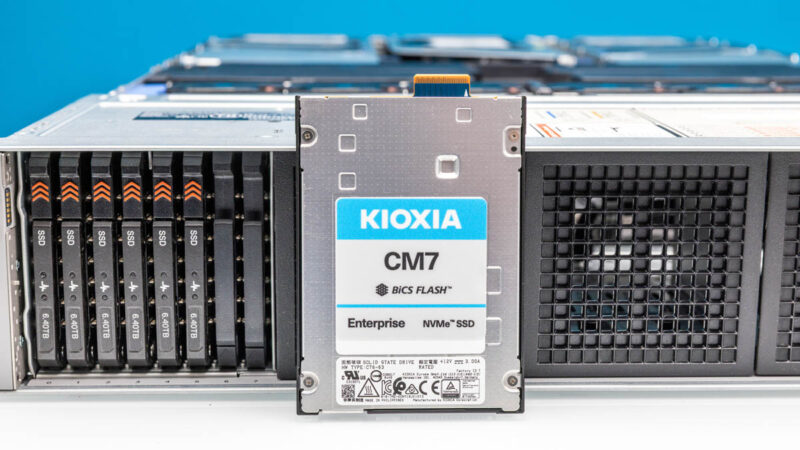
Dell PowerEdge R770 Kioxia CM7 E3.S SSD

Then we get to the rear and chaos takes hold. The rear of these systems is wildly expandable so take what we have as showing a single option. We will let you look those options up, and just go through what we have here because there is plenty just with this one configuration.
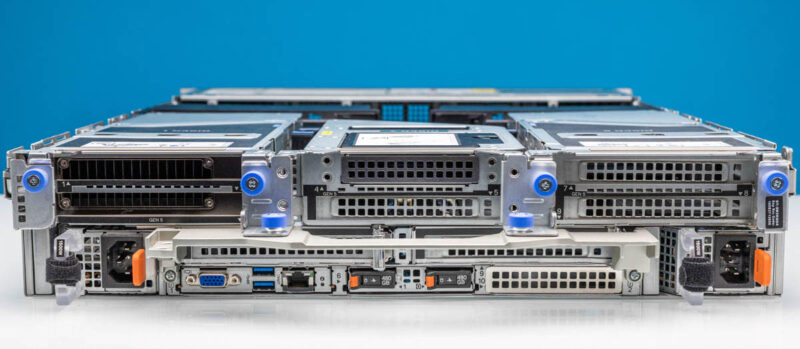
Dell PowerEdge R770 Rear

On the left side, we have one power supply and a double-width PCIe riser.
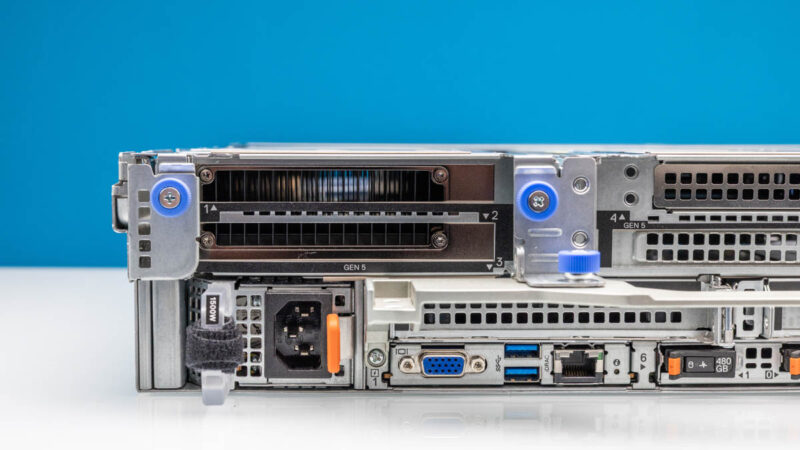
Dell PowerEdge R770 Left Rear

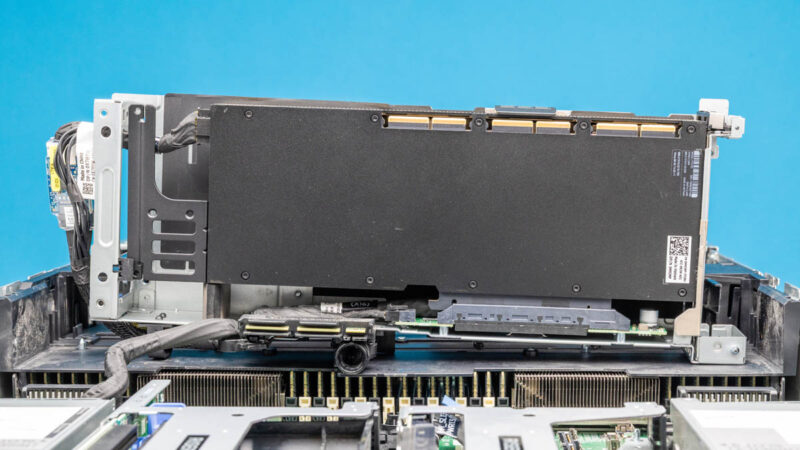
In this riser, we have a NVIDIA H100 NVL. This system is designed for up to two double-width GPUs or seven 75W single-width GPUs. Some of Dell’s competitors have designs for more GPUs in 2U, but Dell also has historically had the xa series like the Dell EMC PowerEdge R750xa for four double-width accelerators in 2U.
Dell PowerEdge R770 NVIDIA NVL PCIe

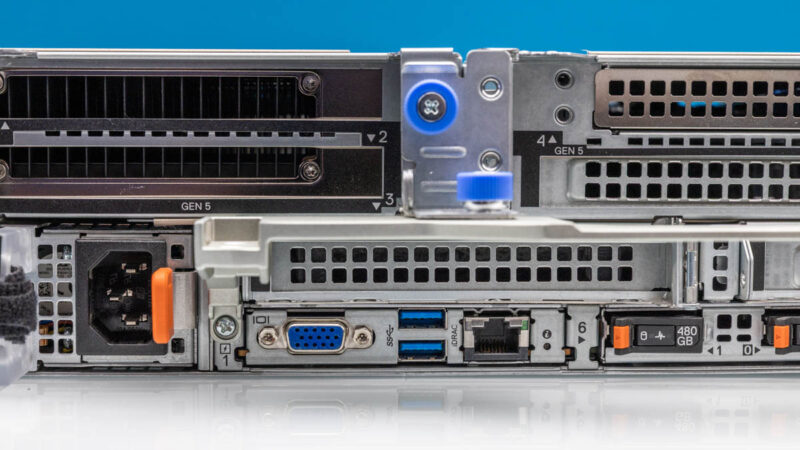
The rear I/O is in an OCP inspired design that offers the VGA, dual USB Type-A and iDRAC port for out-of-band management.
Dell PowerEdge R770 Rear IO

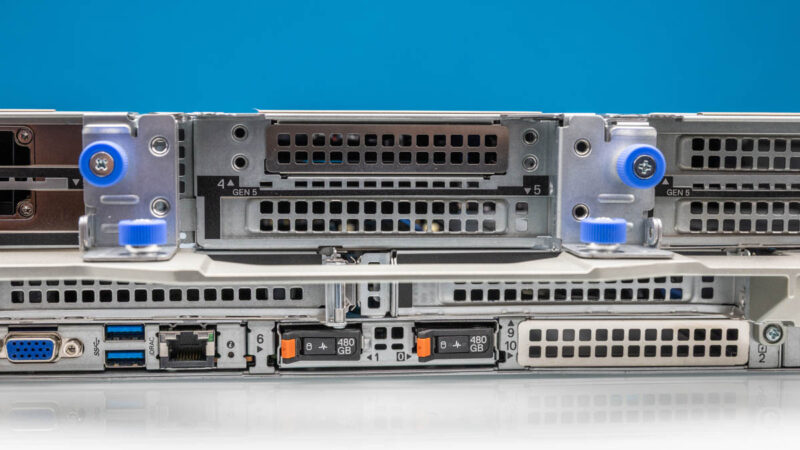
In the center, we have both a top OCP slot as well as another full-height riser slot.
Dell PowerEdge R770 Rear Center

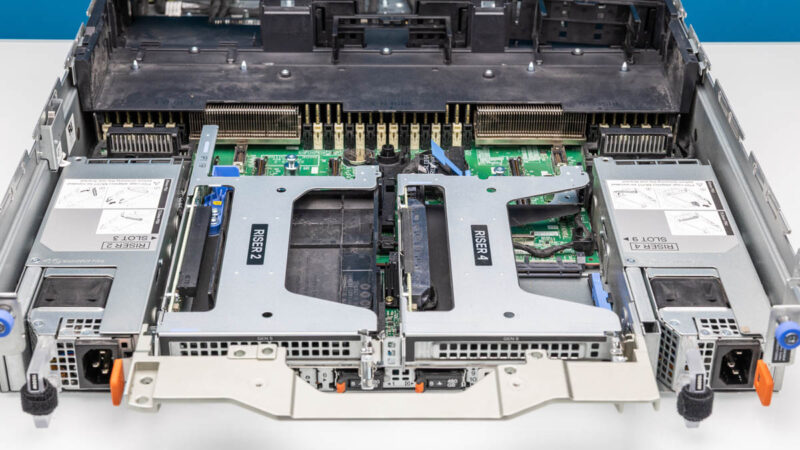
Below those center risers, we have two more full-height risers. Again, there are a ton of different options for all of these risers.
Dell PowerEdge R770 Rear Bottom Risers Copy

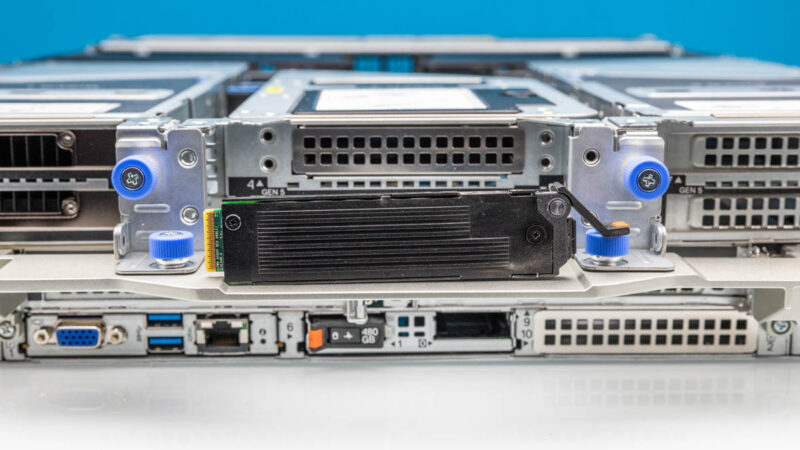
On the bottom we have the Dell BOSS which is Dell’s dual SSD boot solution. We have seen the Dell BOSS for several generations at this point. For some reason, despite the fact that I went to the same school in NJ as “The Boss” (different years), Dell’s boss always makes me think Kelis – Bossy instead. Word association aside, the advantage of this is that it allows for two boot drives without using a front hot swap bay. SSDs generally have an AFR of under 0.25%, but still this makes it easier to service without opening the chassis.
Dell PowerEdge R770 BOSS SSD On Handle

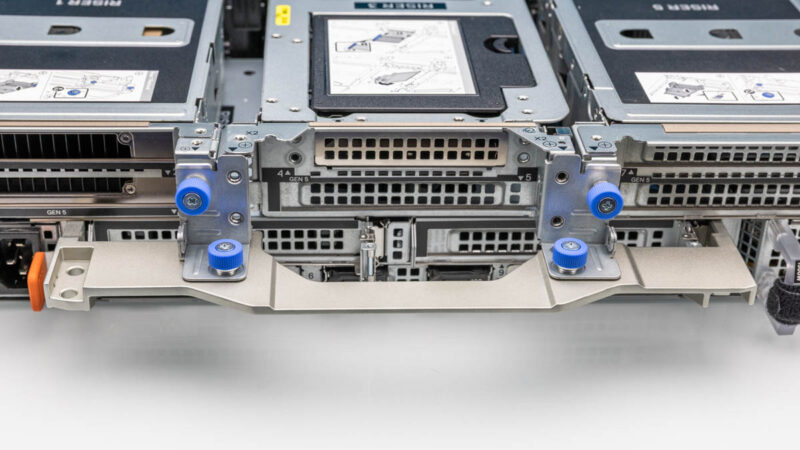
An uncommon feature on 2U servers that we have seen from Dell for some time is the handle.
Dell PowerEdge R770 Rear Handle

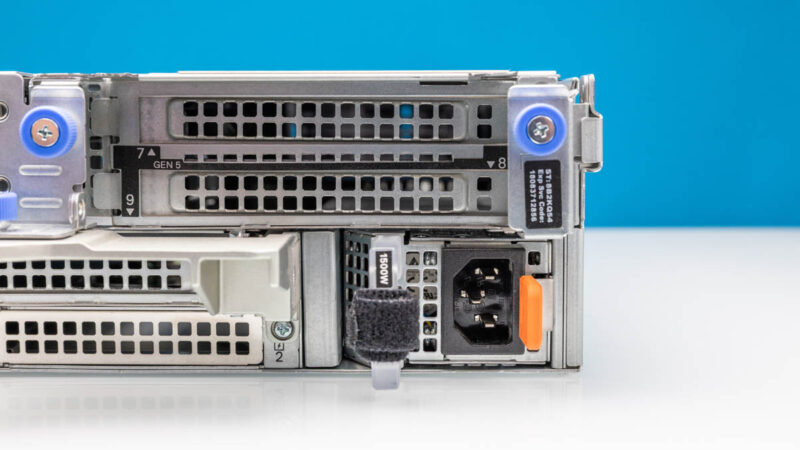
On the right side, we have two more full-height slots and another power supply.
Dell PowerEdge R770 Right Rear

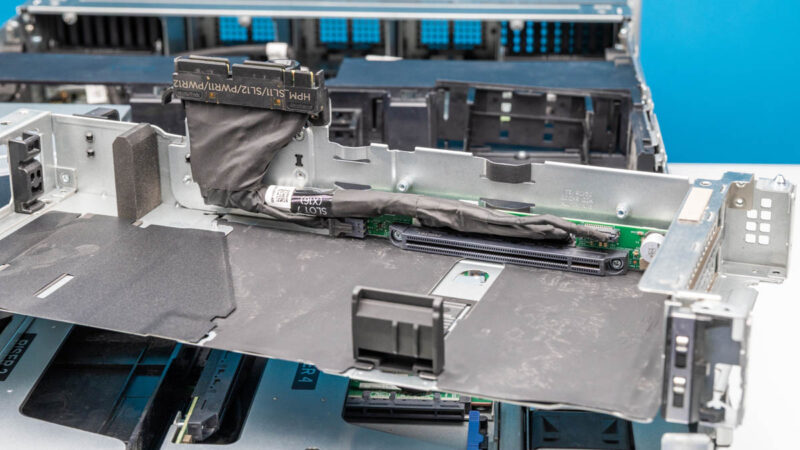
In our system, this riser is another dual width single slot riser.
Dell PowerEdge R770 Empty Double Slot Riser

Next, let us get into the server to see how Dell is making such a fluid system.
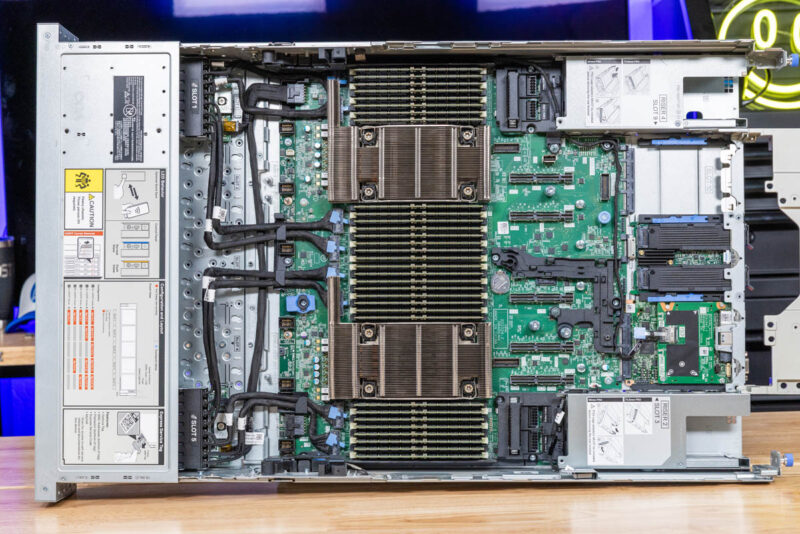
Dell PowerEdge R770 Internal Hardware Overview

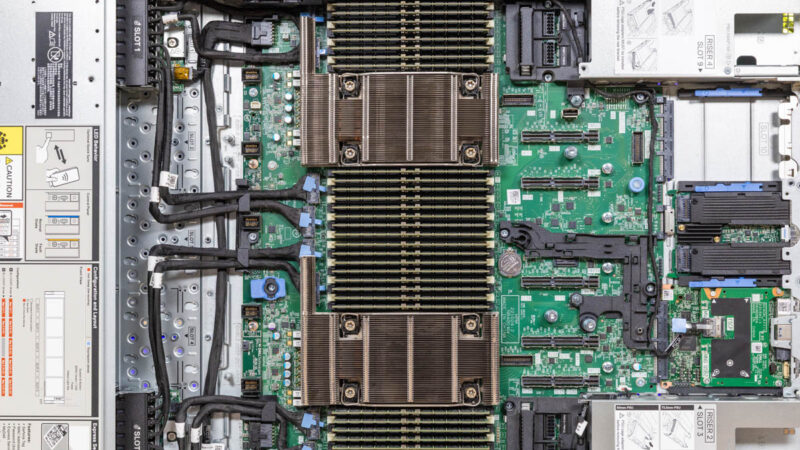
Taking a quick look at the system overview, we are going to go from front to rear, but this is a really cool picture if you enjoy server hardware. Even with all of those riser options, there are minimal cables. in the rear of the system. On the front, the cables are generally focused on storage and are low in the chassis. With PCIe Gen5, signaling has become more challenging meaning we see more cables in systems, but that is perhaps less so here.
Dell PowerEdge R770 Internal Overview

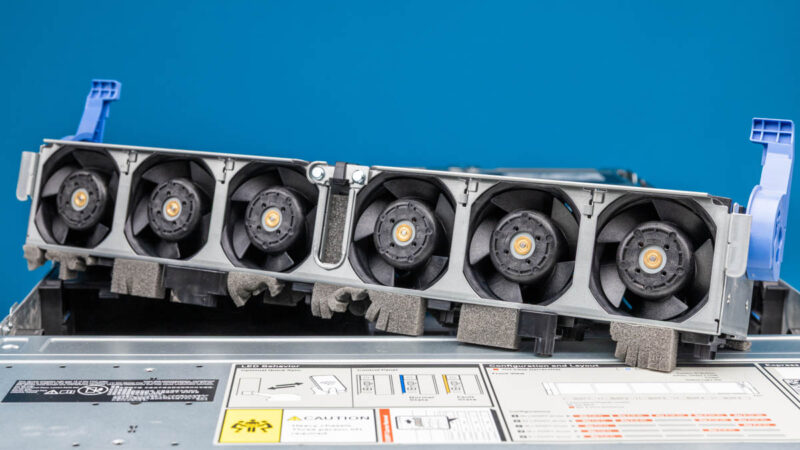
Behind the storage is the fan partition. It pulls out for easier access to the cabling. You can also see that below the fans and in the center there are some great foam blocked cable paths.

Dell PowerEdge R770 Fan Partition Out

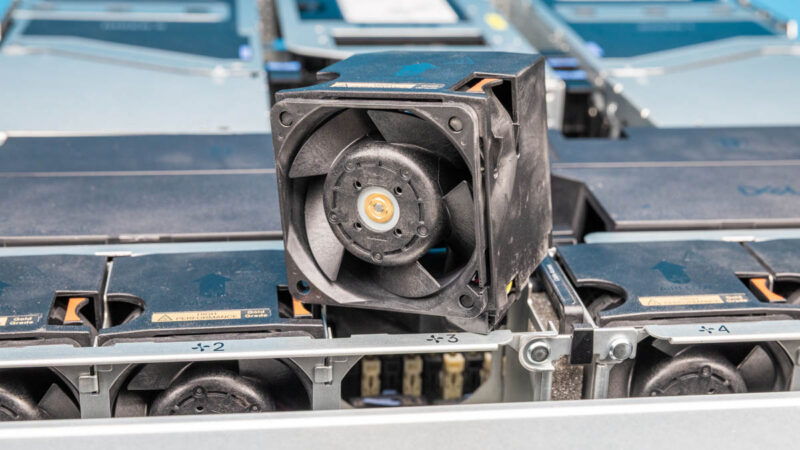
Although the entire fan partition can be removed, each fan is also a hot swappable design.

Dell PowerEdge R770 Fan Out

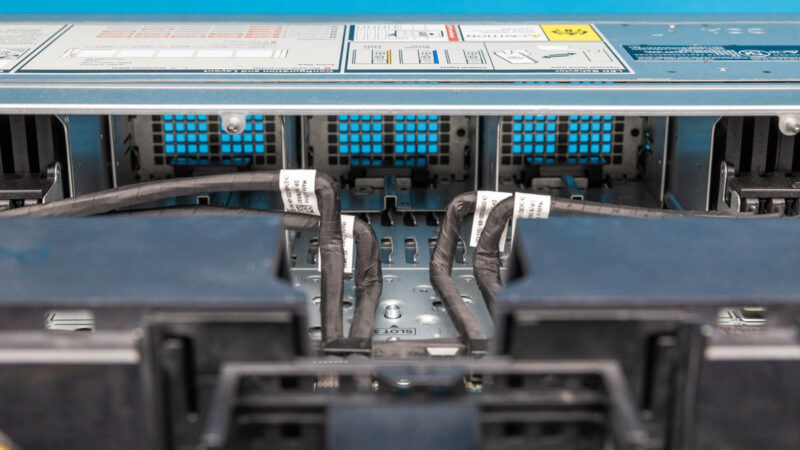
Here is a quick look at the center airflow section.

Dell PowerEdge R770 Center Airflow Channel From Inside

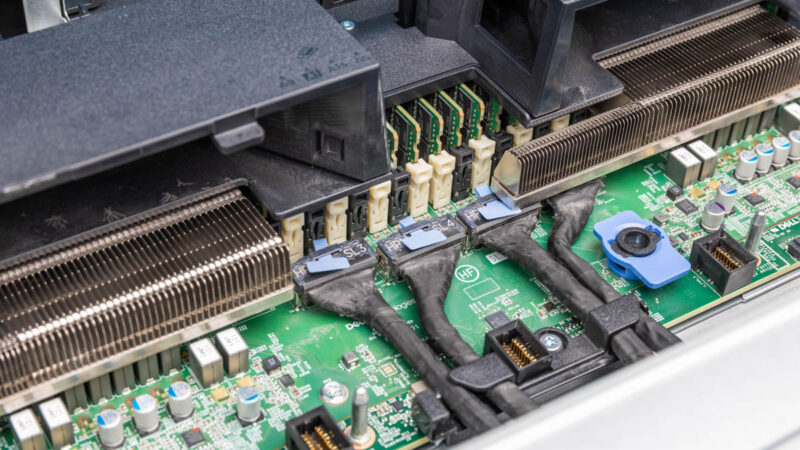
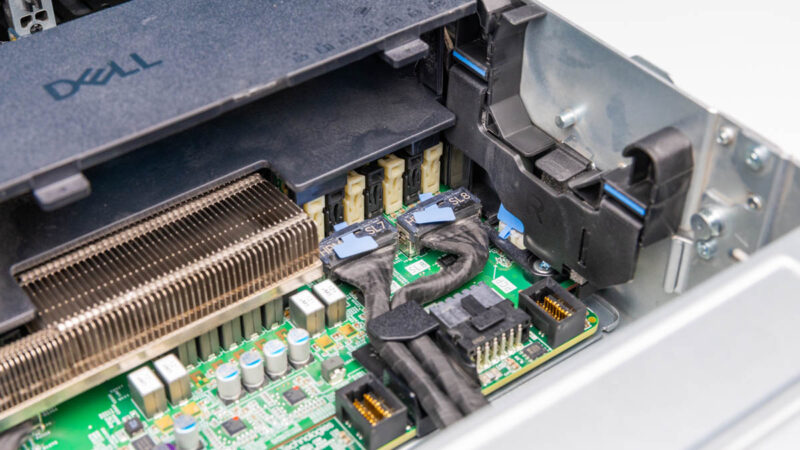
PCIe in servers often comes out of the north and south of the chip while the east west directions are usually for memory. Here we can see some of the front PCIe MCIO connections that are used for front NVMe storage in our configuration. You can also see the headers where the fan partition plugs into here.

Dell PowerEdge R770 Front Center MCIO

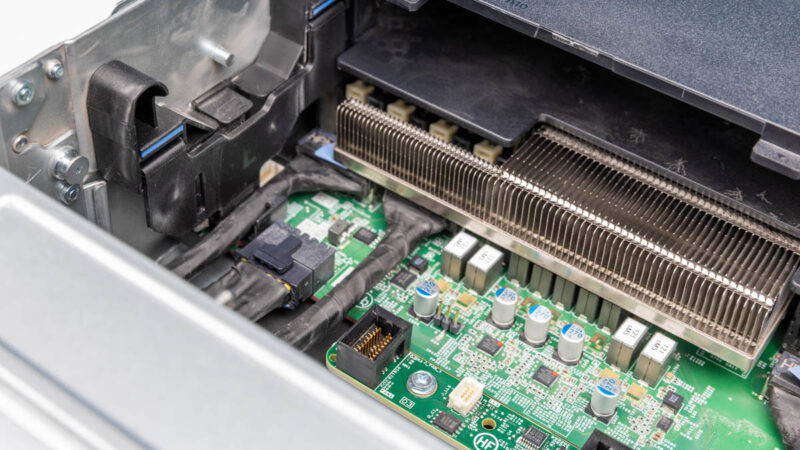
On the right side we get more MCIO connectors and the latch point for the fan partition.

Dell PowerEdge R770 Front Right MCIO

The same is on the left along with power for the NVMe backplanes.

Dell PowerEdge R770 Front Left MCIO

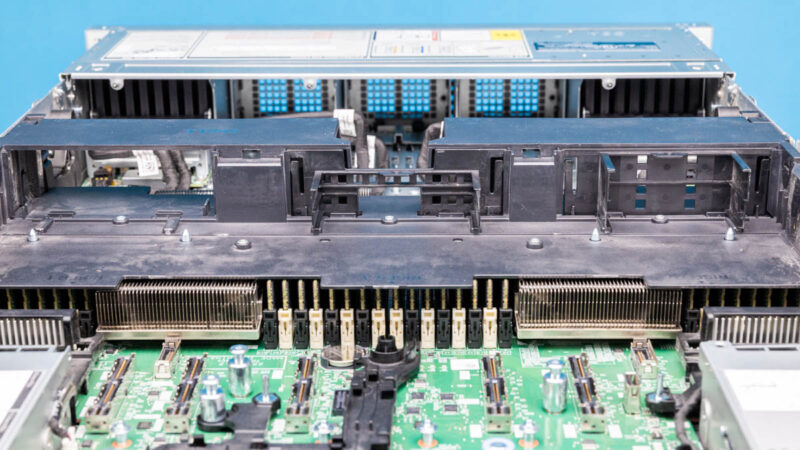
Dell’s airflow guide has some configurability as well. As you can see, on the left portion of the guide in the photo below, the top portion is open to allow airflow for the NVIDIA H100 NVL GPU. On the right portion the airflow is largely blocked. That is an example of how Dell is directing airflow in the chassis.

Dell PowerEdge R770 Internal Airflow Guide

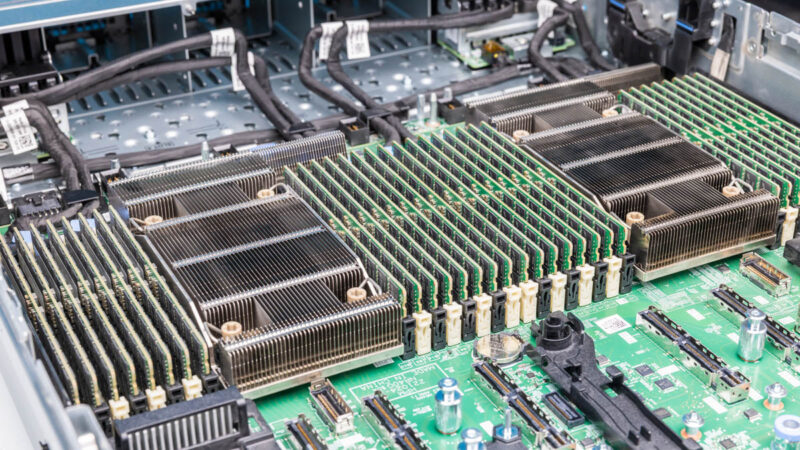
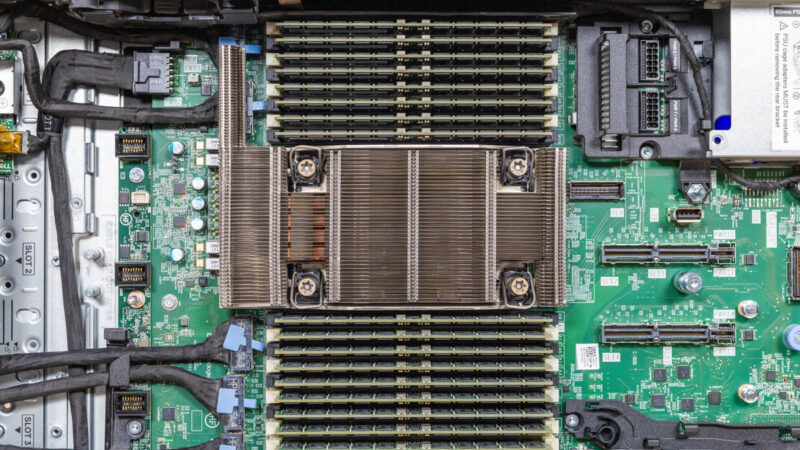
Under that airflow guide, we get a mass of CPUs and memory. Inside we get dual Intel Xeon 6700 series processors.

Dell PowerEdge R770 CPUs And Memory 1jpg
Dell PowerEdge R770 CPUs And Memory 1

Each processor gets eight channels of DDR5 memory and two DIMMs per channel for 32 ECC RDIMM slots.

Dell PowerEdge R770 CPU And Memory

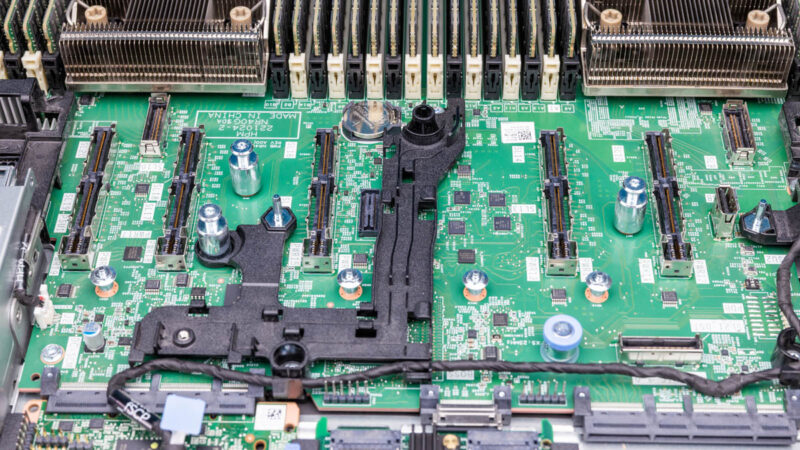
Dell has an OCP inspired HPM design so we see the riser slots across the rear of the motherboard with the OCP style slots at the rear edge.

Dell PowerEdge R770 Rear X16 Riser Slots

I open many servers each year, and this just looks great.

Dell PowerEdge R770 Internal Overview Copy

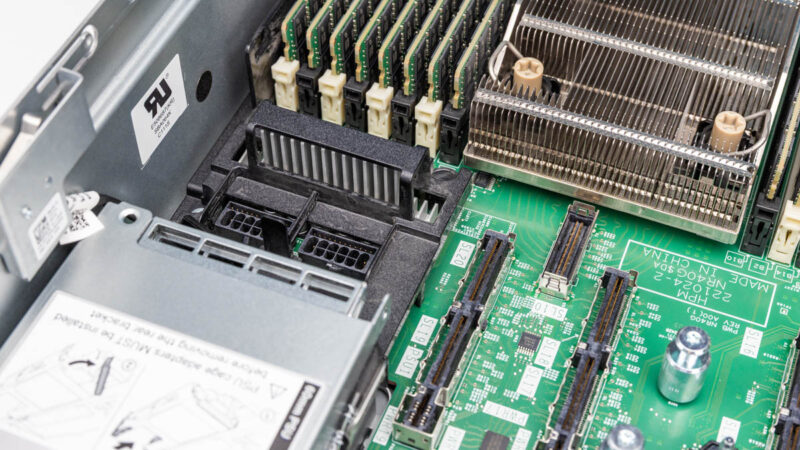
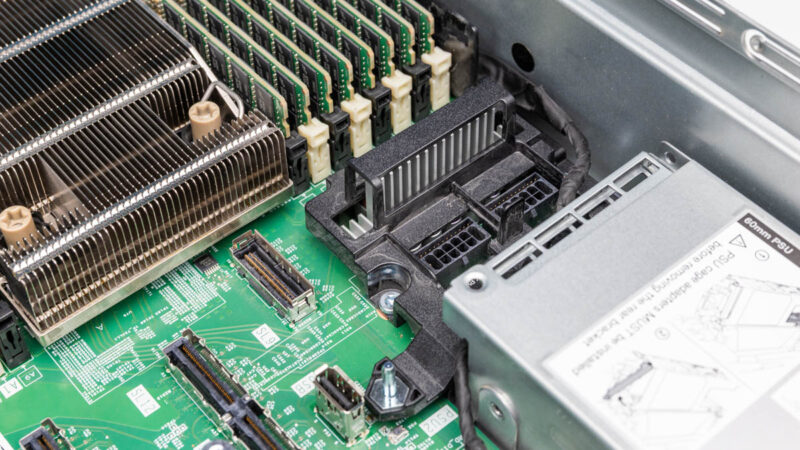
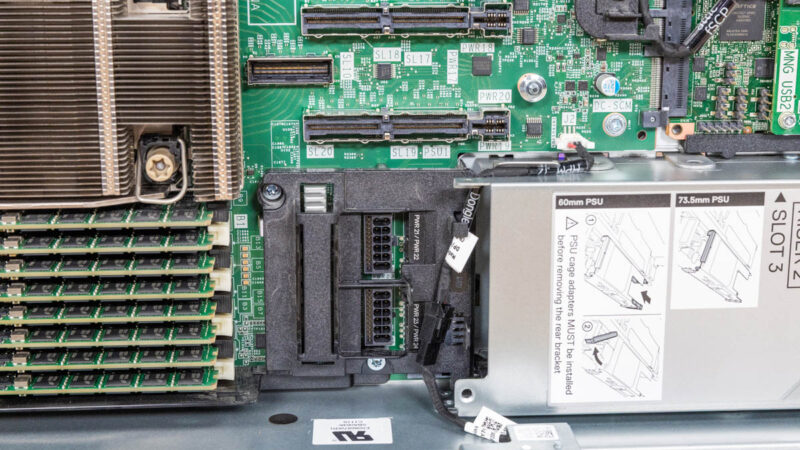
There are power connectors for components like the NVIDIA H100 NVL GPU we have installed just behind the power supplies.

Dell PowerEdge R770 GPU And PCIe Power Left Rear

Here is the other side.

Dell PowerEdge R770 GPU And PCIe Power Right Rear

And the top view.

Dell PowerEdge R770 GPU And PCIe Power

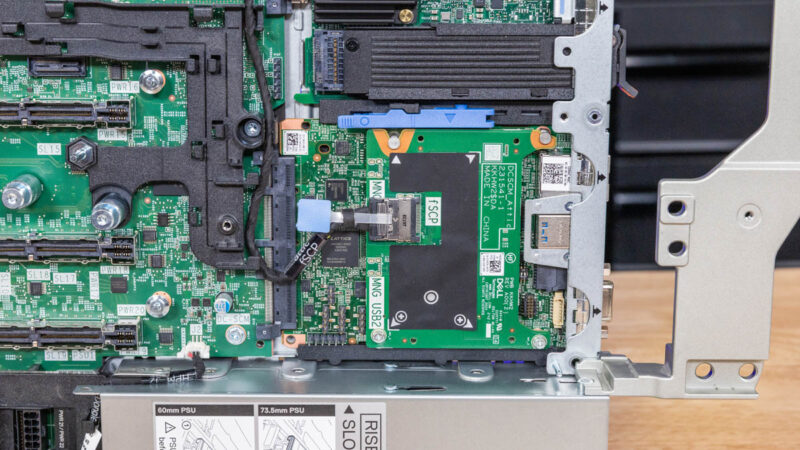
Dell is using the OCP DC-SCM for iDRAC and local management with an “attic” which is always fun.

Dell PowerEdge R770 Internal DC SCM

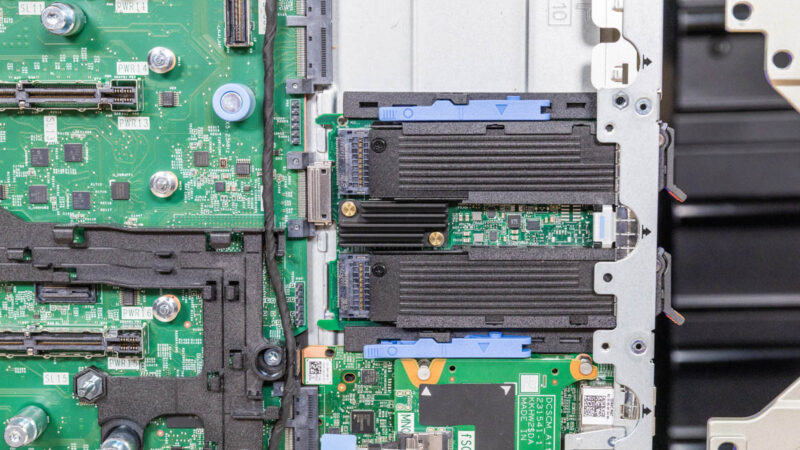
In the center, we have the BOSS.

Dell PowerEdge R770 Internal Dell BOSS

Then there is the OCP NIC 3.0 slot. There is an internal latch design which is a bummer since replacing a NIC takes a lot of disassembly. Other vendors use SFF with pull tab designs which are more common in cloud servers since they are easy to service without removing risers.

Dell PowerEdge R770 OCP NIC 3.0

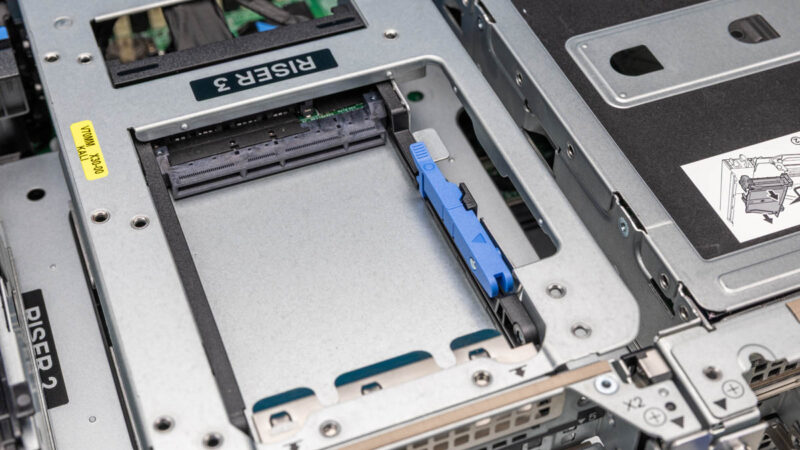
That OCP NIC 3.0 slot is actually just one of two, since in the top riser of the center stack we have another one.

Dell PowerEdge R770 Riser 3 OCP NIC 3.0 Slot 2

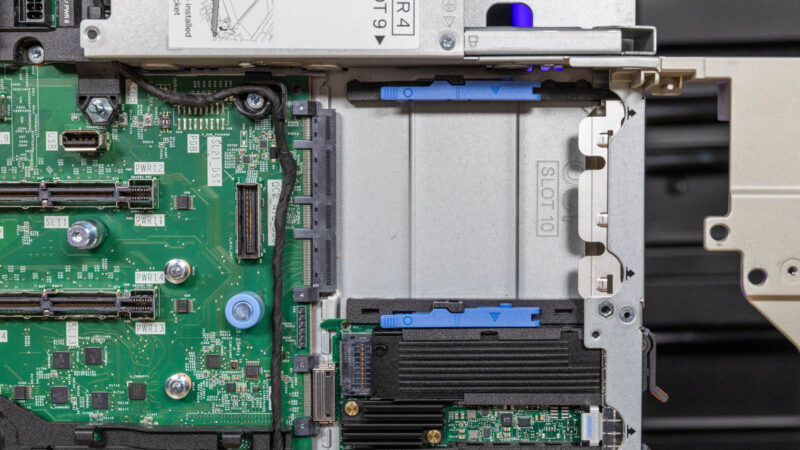
Something worth noting is that this design is great for the fluidity of configurations in the PowerEdge R770. As someone who takes apart dozens of servers across vendors each year, this is not the easiest to service by any means. In packing so much functionality, the system has a lot of dependencies where components need to be removed before others can be accessed. In some circles that is going to be a risqué take, but there were more than a few times that I thought that servicing made sense, but required a lot of steps.

Dell PowerEdge R770 Rear Bottom Risers Copy


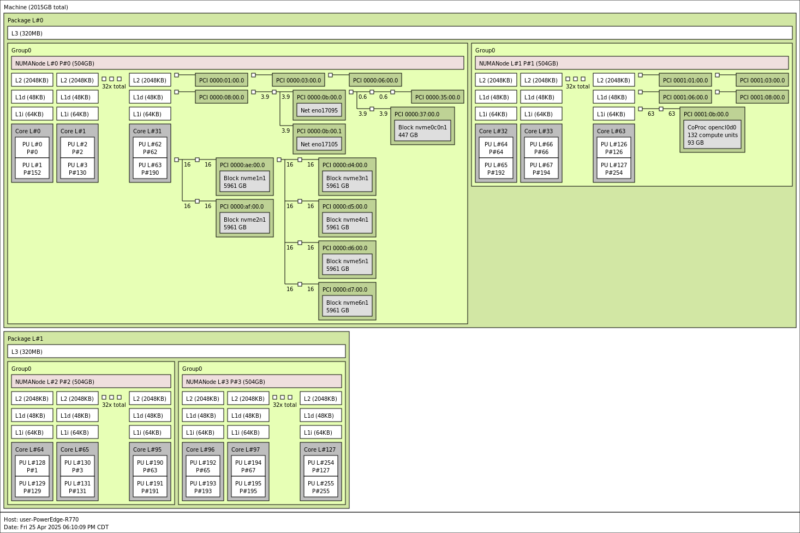
Dell PowerEdge R770 Topology

In our 2TB configuration we have a lot going on. First off, we have P-core CPUs. The R770 supports both the Intel Xeon 6700P and 6700E series.

Dell PowerEdge R770 Topology

We see our components were almost entirely connected to CPU 0. There is a lot more going into this platform than what we have installed. Also, it should be noted that the server supports CXL memory as well.

Next, let us get to management.

Dell PowerEdge R770 iDRAC Management

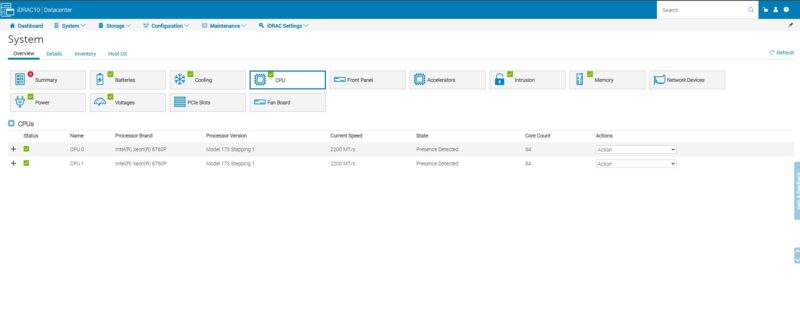
Most folks are likely familiar with Dell iDRAC. The PowerEdge R770 utilizes iDRAC 10 which feels much like an extension of older generations.

Dell PowerEdge R770 IDRAC CPUs

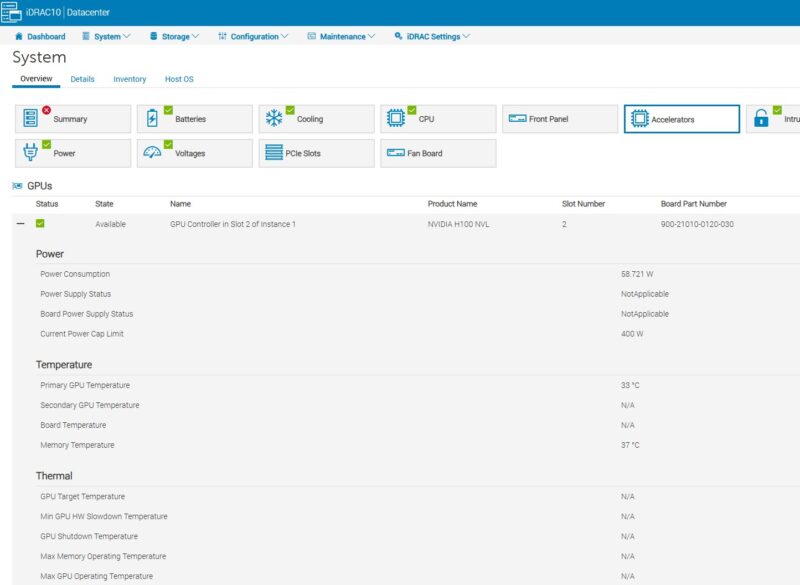
It feels like there is more of a focus now on acceleration, and Dell has a lot more info easily available in its management interface than many other server vendors.

Dell PowerEdge R770 NVIDIA H100 NVL

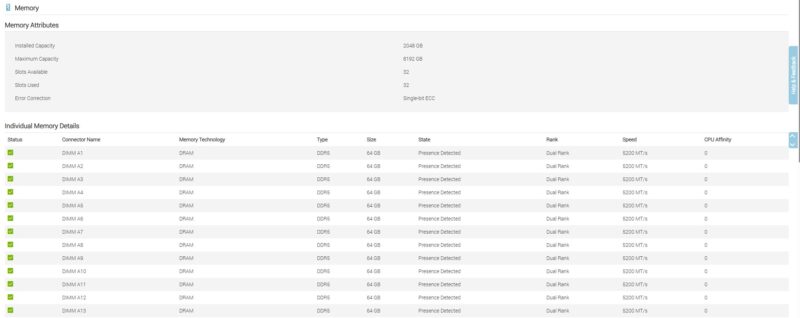
There is an inventory feature down to a low level of detail as well as a HTML5 iKVM feature which we have become accustomed to.

Dell PowerEdge R770 IDRAC Memory

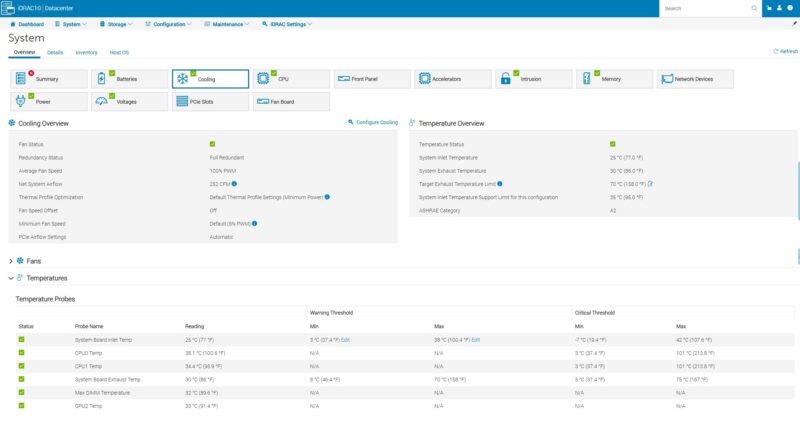
Dell also has a lot of sensors in its system that allows it to tune its cooling for specific use cases which is important when there is a system as flexible as this one.

Dell PowerEdge R770 IDRAC Cooling

Dell has many resources that deep dive into iDRAC for those who are unfamilar, but this is one of the longest running and most widely used remote management solutions out there.

Next, let us get to the performance.

Dell PowerEdge R770 Performance

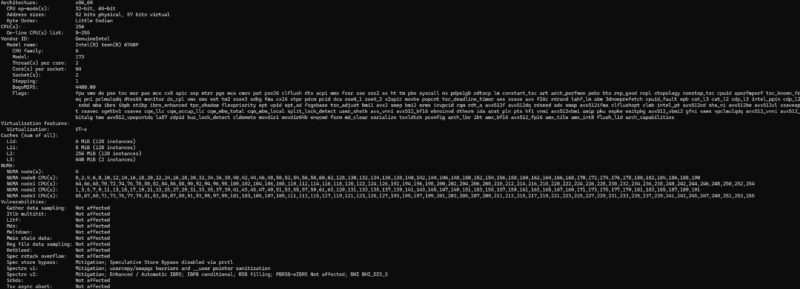
In our system, we have dual Intel Xeon 6760P processors. These are 64 cores, 128 threads each with 320MB of cache. There are many options out there covering both P-core and E-core processors.

Dell PowerEdge R770 Dual Intel Xeon 6760P Lscpu Output

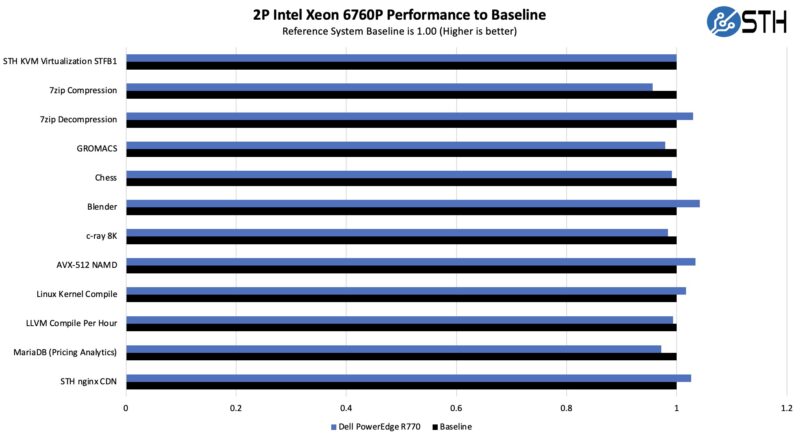
Just running the system through our tests, here is what we got:

Dell PowerEdge R770 Intel Xeon 6760P Performance

Overall, that is fairly good performance. The 1U heastinks do not appear to be hurting performance here. Also, just to be clear, we test in 1DPC mode for all servers so we pulled out half the memory and tested with a 1TB configuration for this. Otherwise we would have gotten higher virtualization results.

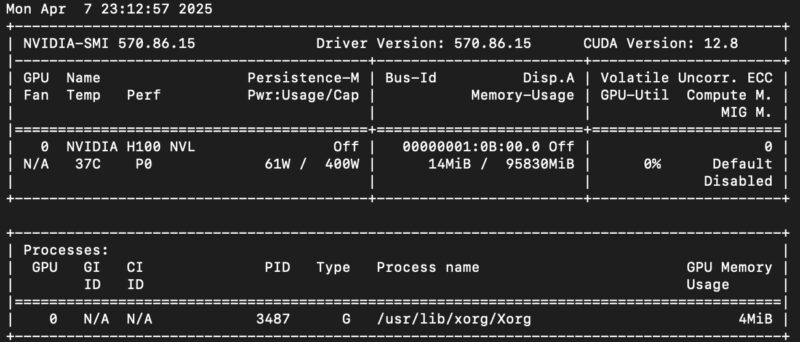
Since we had a NVIDIA H100 NVL installed, we wanted to check this card’s performance in the 2U server. The H100 NVL is a neat card because it is a 94GB HBM3 card, which is a notable upgrade over the original H100 offering just shy of 4TB/s of memory bandwidth.

NVIDIA H100 NVL 94GB Single GPU nvidia-smi

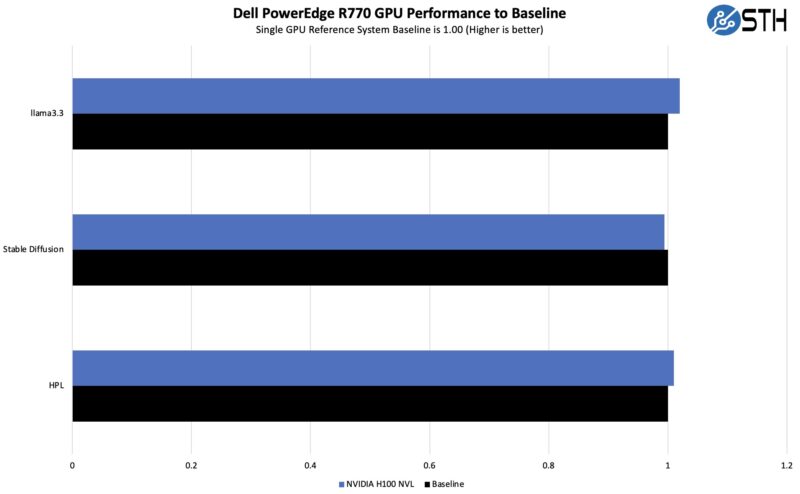
We have been testing a few systems with the H100 NVL, so we wanted to ensure that even at 400W it was being cooled as well as in a GPU-centric system.

Dell PowerEdge R770 NVIDIA H100 NVL Performance

Overall, these results are within test variances, so that means the PowerEdge R770 is doing well on the cooling front. The H100 NVL also has configurable power consumption down to 200W, but ideally folks want to run them at or near full power to get the most performance from what is usually the single most costly component in the server.


Dell PowerEdge R770 Power Consumption

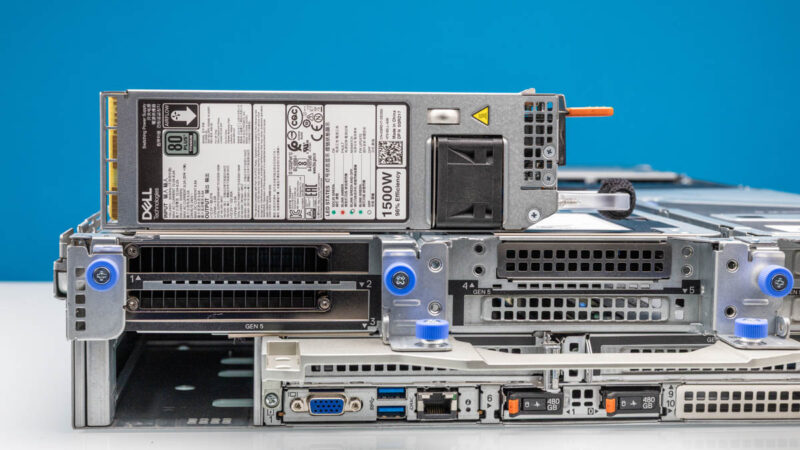
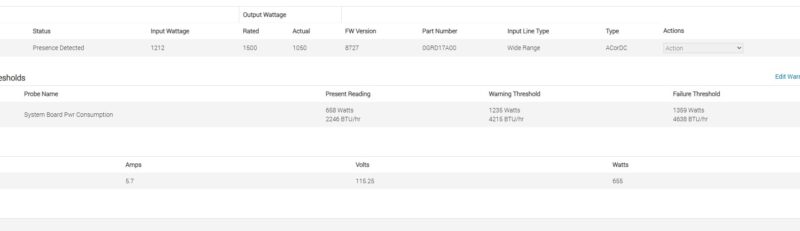
Our system was configured with two 1500W 80Plus Titanium power supplies. There are options ranging from 800W to 3.2kW. We actually got a warning with this configuration and trying to run on a single power supply because the potential power draw was more than 1.5kW. We got it just below that 1.5kW mark at maximum power consumption.

Dell PowerEdge R770 Power Supply

Our system was in performance mode, but we saw idle power consumption in the 500W+ range albeit with a full memory, CPU, and NVIDIA GPU configuration.

Dell PowerEdge R770 Power Idle Performance Mode

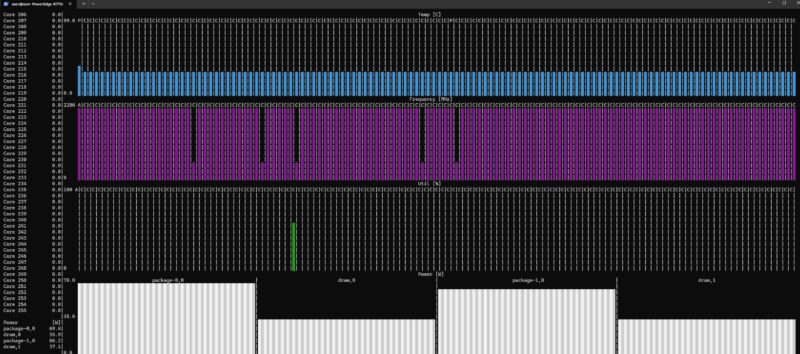
Digging into that a bit, just the CPUs and memory were reporting over 200W across them, and the NVIDAI H100 NVL was running over 60W at this point. That does not include the SSDs, other components, and cooling.

Dell PowerEdge R770 Dual Intel Xeon 6760P S Tui Power

Of course, there are both configuration options from hardware choices to software that can lower this figure, but we thought it was interesting.

STH Server Spider Dell PowerEdge R770

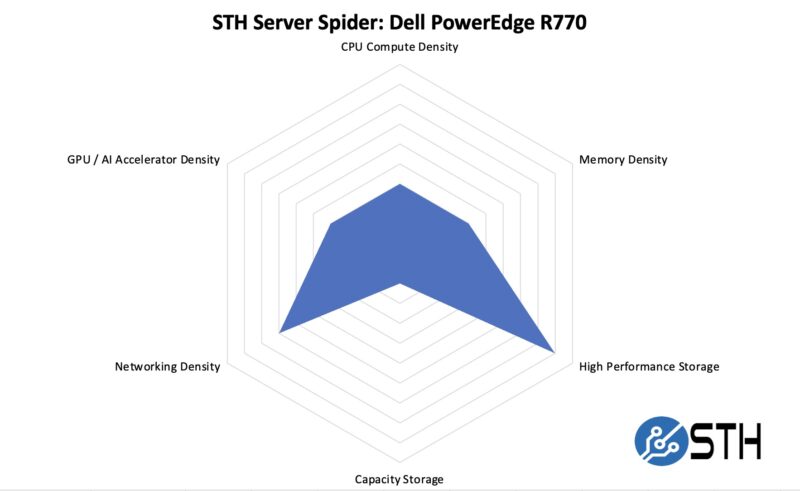
In the second half of 2018, we introduced the STH Server Spider as a quick reference to where a server system’s aptitude lies. Our goal is to start giving a quick visual depiction of the types of parameters that a server is targeted at.

STH Server Spider Dell PowerEdge R770

As a 2U single-node system it is not going to be the most dense option out there, but the PowerEdge R770 is more about checking a lot of boxes reasonably well rather than being able to do just one thing well. The one area it does not get high marks in is in capacity storage. We could not find a 3.5″ option on the server’s spec sheet. Perhaps the era is coming where we can remove that from our standard STH Server Spider after seven years.

Final Words

Whenever we test Dell PowerEdge systems, the engineering is great. What is also quite notable is that ten years ago Dell was not leaning heavily into open standards. Now, Dell is using things like the OCP NIC 3.0, DC-SCM, DC-HPM, and more from OCP. They are taking some of those base capabilities and building neat hardware on top of it.

Dell PowerEdge R770 Internal Overview

When we review a PowerEdge like this, we are looking at only one configuration. That one configuration is only a small subset of what this server can do. Perhaps that is why the word that came to mind when testing the PowerEdge R770 was fluid because for every subsystem we tested, there were often six or more number of configuration options. Dell is clearly taking aim at the heart of the server market with the PowerEdge R770.